> ## Documentation Index
> Fetch the complete documentation index at: https://rive-transitions-2.mintlify.site/llms.txt
> Use this file to discover all available pages before exploring further.
# Distance Constraint
> The Distance Constraint makes an object stay close, far, or exactly at a specific distance to another object.
export const YouTube = ({id, timestamp}) => {
const videoSrc = timestamp ? `https://www.youtube.com/embed/${id}?start=${timestamp}` : `https://www.youtube.com/embed/${id}`;
return ;
};
## How to create a Distance Constraint
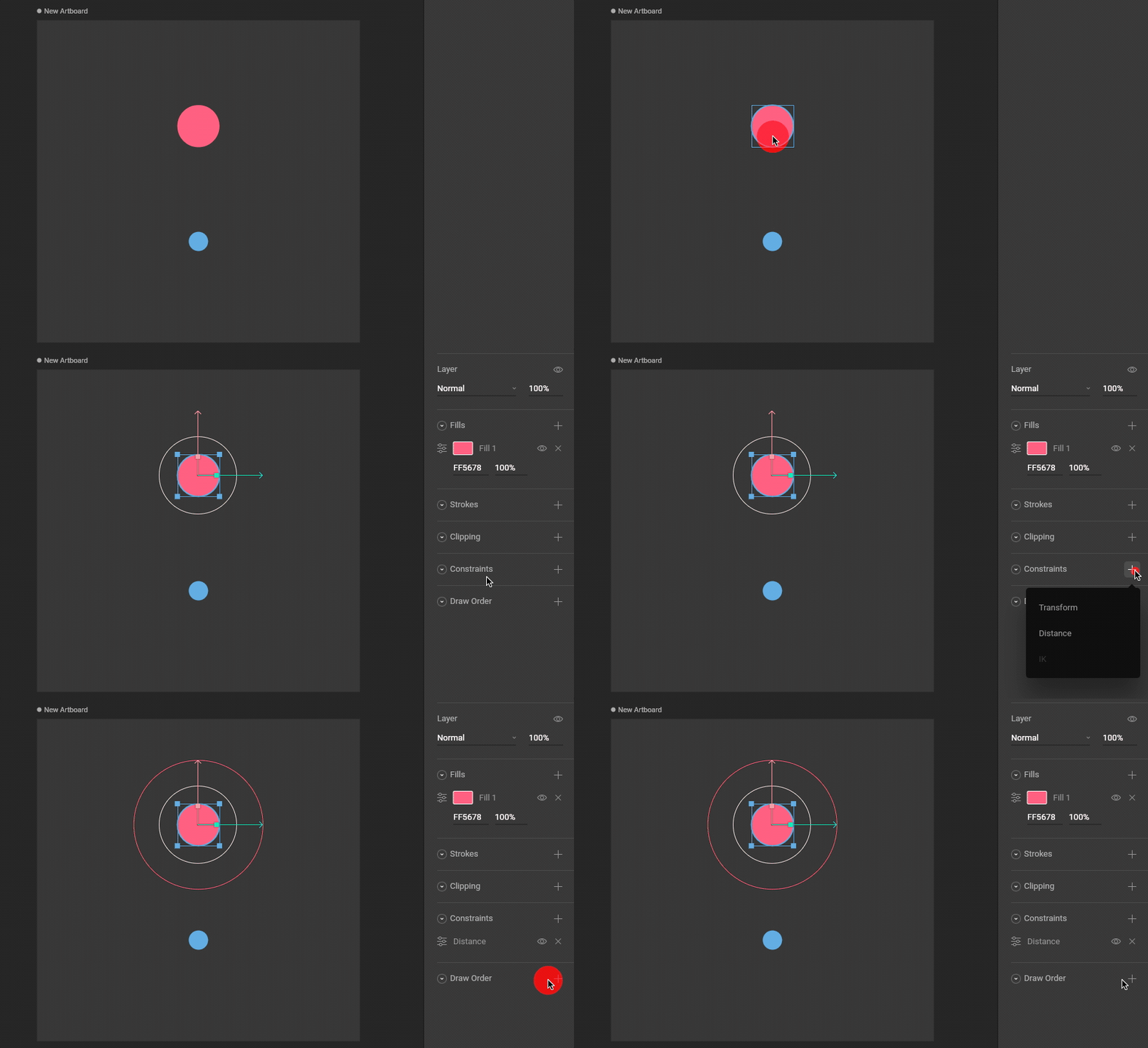
Use the Constraints section of the Inspector to add a Distance Constraint to an object.
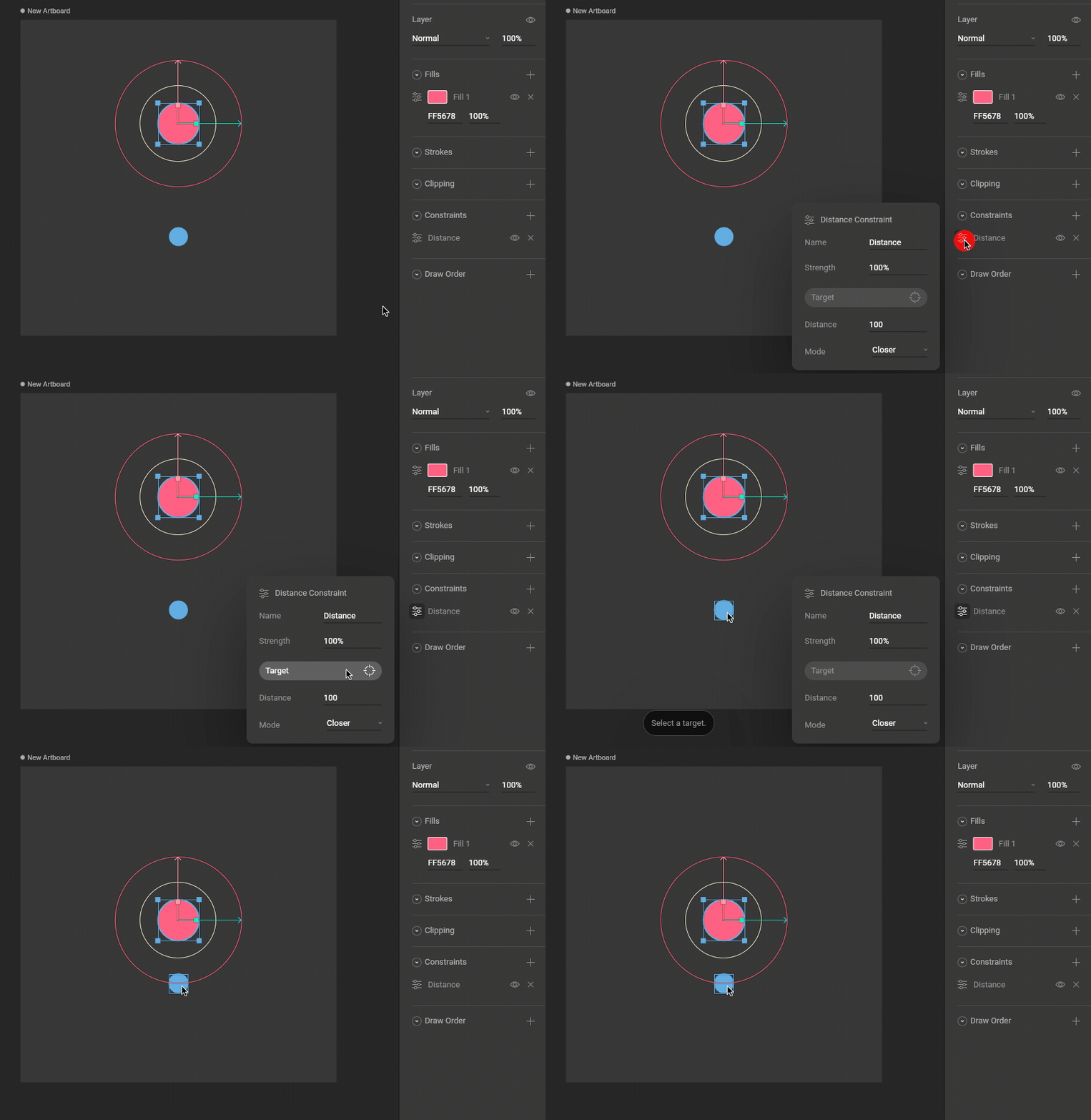
Use the new constraint's fly-out menu to select a target for this constraint.
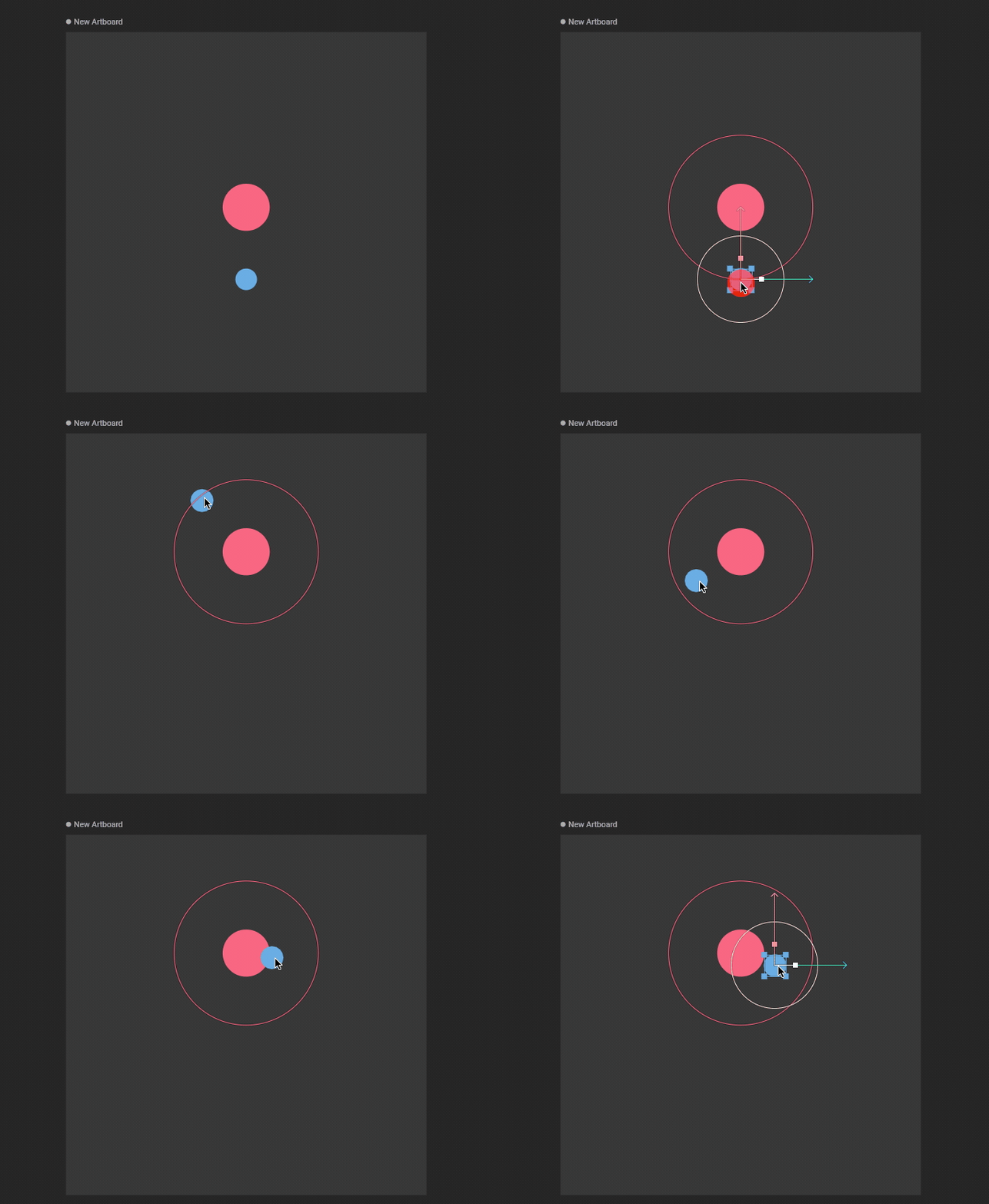
Moving the target object now causes the constrained object to stay close (which is the default mode).
## Strength
The Strength property determines how much the constrained object is affected.
A Strength of 0% means the constraint won't have any effect.
## Distance
The distance that the object will be constrained from the target object. A red constraining circle is drawn on the stage to represent this value.
## Mode
### Closer
The owner is constrained closer than the Distance setting. In other words, the owner is constrained inside the constraining sphere.
### Further
The owner is constrained further than the Distance setting. In other words, the owner is constrained outside the constraining sphere.
### Exactly
The owner is constrained exactly at the distance of the constraining sphere.