> ## Documentation Index
> Fetch the complete documentation index at: https://rive-transitions-2.mintlify.site/llms.txt
> Use this file to discover all available pages before exploring further.
# Animation
> Add animation to a Layout container to define how it interpolates when content reflows. When a Layout container needs to resize, its children may need to change their position. Adding Layout animation allows the reflowing of children to happen over time and with a chosen easing curve.
## Adding Layout Animation
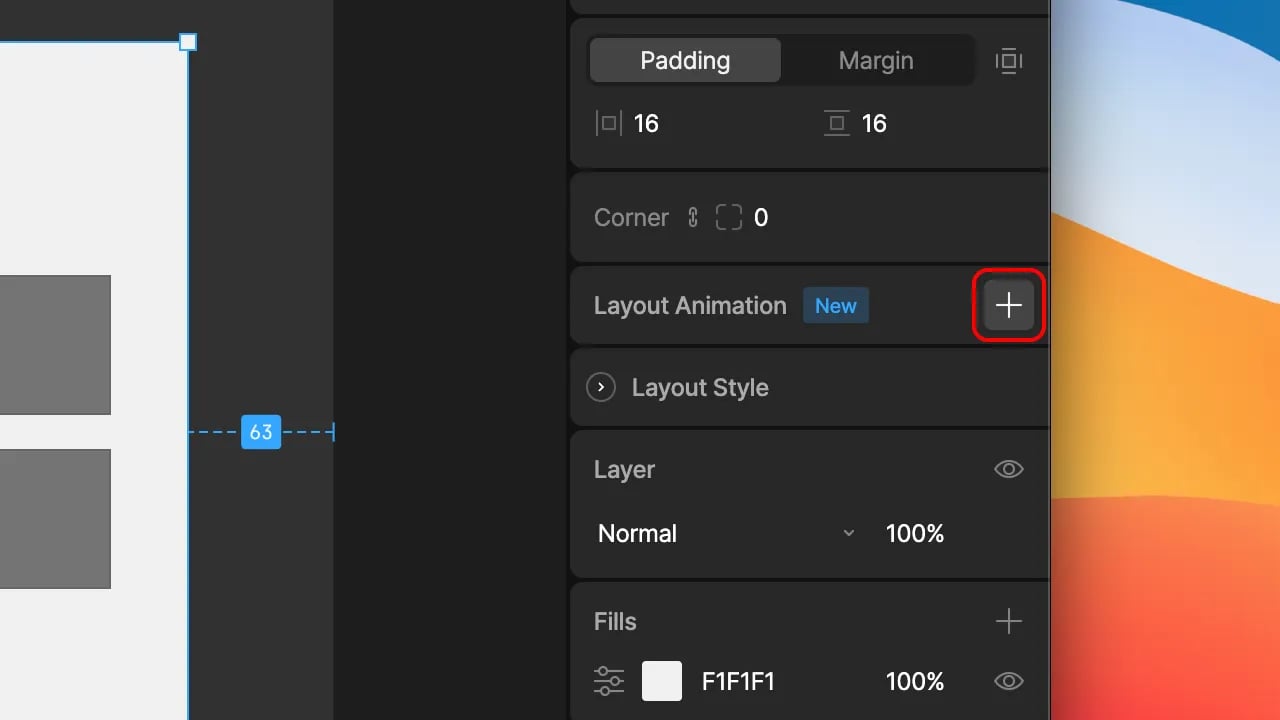
To get started, select a Layout component and select the `+` action alongside `Layout Animation` in the inspector. Typically, you may want to set this on the parent Layout in the majority of cases.
Next, choose from one of 3 different modes:
* **None:** No animation.
* **Inherit:** Inherit the animation parameters from the parent Layout.
* **Custom:** Define the animation parameters for the selected Layout.
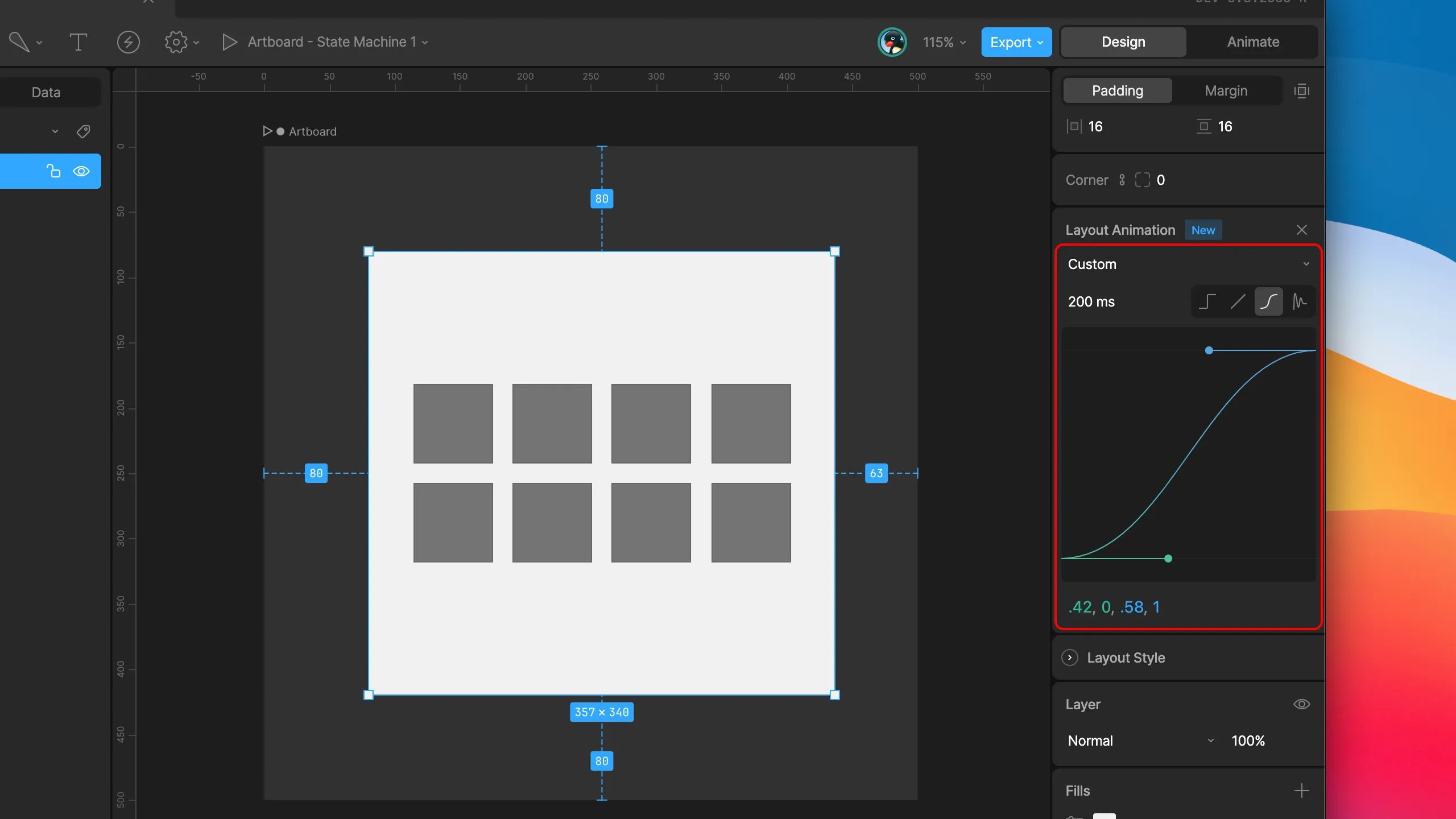
With the custom option selected, you can set a duration and interpolation type similar to that of a State Machine transition. All interpolation types except cubic value are supported.
With a custom animation applied to a parent Layout, setting the child Layouts to `inherit` means they'll all use the same parameters as those on the parent. Alternatively, you can choose to apply custom interpolation to child components individually.
 Next, choose from one of 3 different modes:
* **None:** No animation.
* **Inherit:** Inherit the animation parameters from the parent Layout.
* **Custom:** Define the animation parameters for the selected Layout.
With the custom option selected, you can set a duration and interpolation type similar to that of a State Machine transition. All interpolation types except cubic value are supported.
Next, choose from one of 3 different modes:
* **None:** No animation.
* **Inherit:** Inherit the animation parameters from the parent Layout.
* **Custom:** Define the animation parameters for the selected Layout.
With the custom option selected, you can set a duration and interpolation type similar to that of a State Machine transition. All interpolation types except cubic value are supported.
 With a custom animation applied to a parent Layout, setting the child Layouts to `inherit` means they'll all use the same parameters as those on the parent. Alternatively, you can choose to apply custom interpolation to child components individually.