> ## Documentation Index
> Fetch the complete documentation index at: https://rive-transitions-2.mintlify.site/llms.txt
> Use this file to discover all available pages before exploring further.
# Layers
> Layers let you build more complex logic and animation with the state machine.
export const YouTube = ({id, timestamp}) => {
const videoSrc = timestamp ? `https://www.youtube.com/embed/${id}?start=${timestamp}` : `https://www.youtube.com/embed/${id}`;
return ;
};
A state machine layer can play one state at a time. Add multiple layers when you want a state machine to play multiple animations or interactions at once.
For example, one layer might control a character's idle and walk animations, while another layer controls a separate hover or selected state.
## Creating a new layer
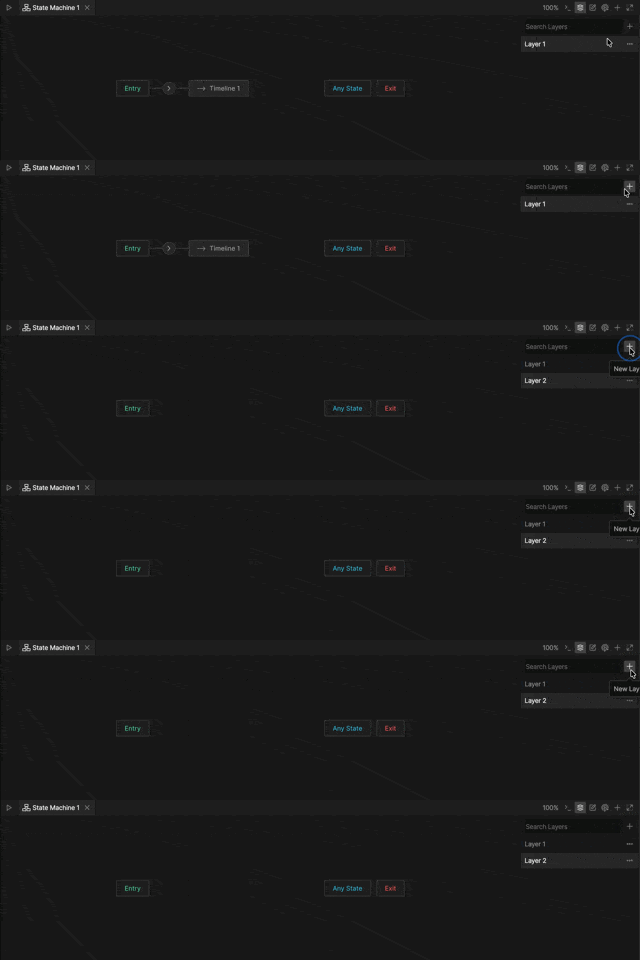
To create a layer, click the **+** button in the **Layers** tab.
 ## Layer Order
Layer order determines which layer takes priority when multiple layers animate the same property.
Layers farther down the list take priority over layers above them. In most cases, this does not matter. However, if multiple layers control the same object property, the animation in the lower layer takes priority as the layers mix.
### Changing layer order
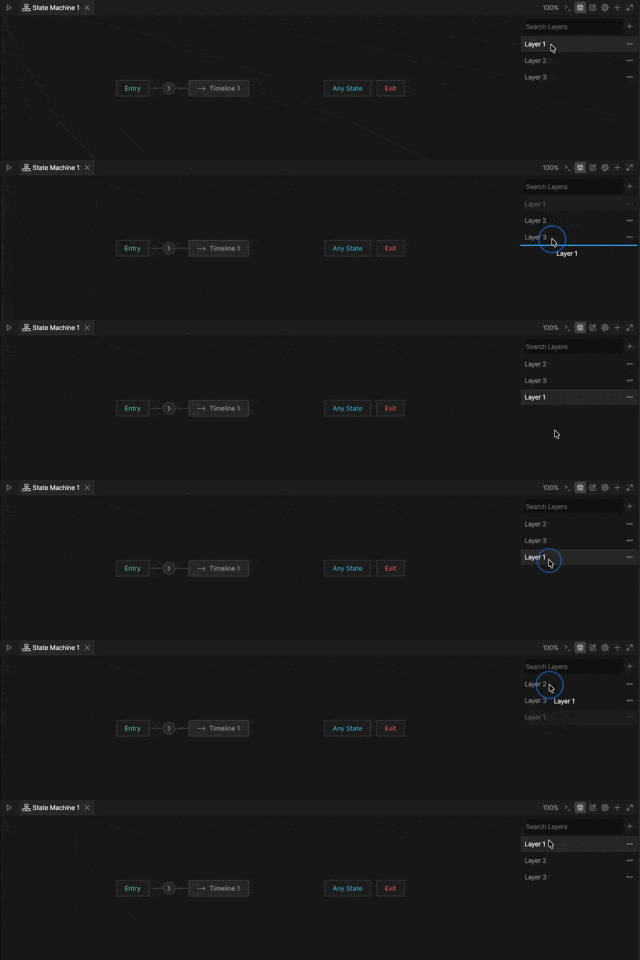
To change layer order, drag layers up or down in the **Layers** tab.
## Layer Order
Layer order determines which layer takes priority when multiple layers animate the same property.
Layers farther down the list take priority over layers above them. In most cases, this does not matter. However, if multiple layers control the same object property, the animation in the lower layer takes priority as the layers mix.
### Changing layer order
To change layer order, drag layers up or down in the **Layers** tab.
 ## Layer Menu
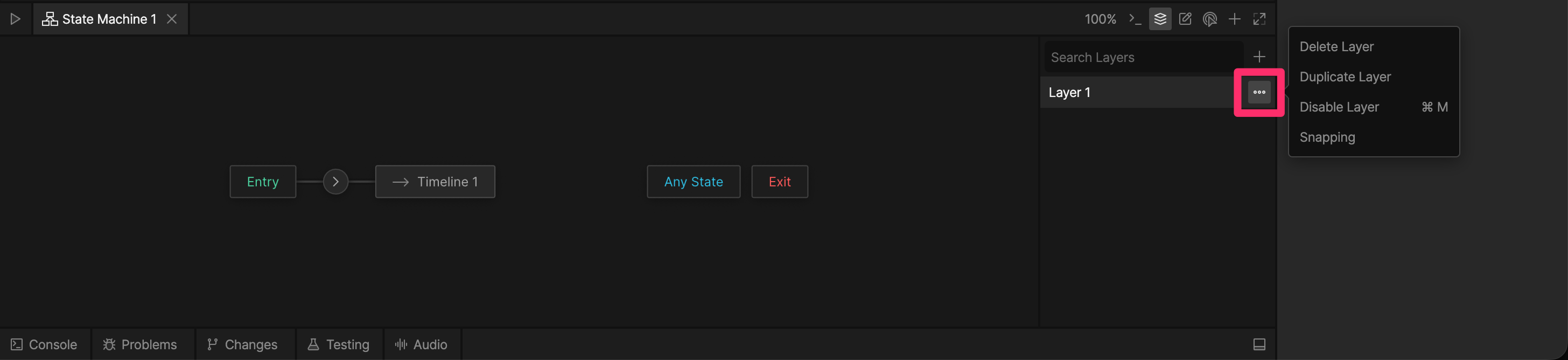
Click the **...** button next to a layer name to open the layer menu.
## Layer Menu
Click the **...** button next to a layer name to open the layer menu.
 | Option | Description |
| ------------- | --------------------------------------------------------------------- |
| **Delete** | Deletes the layer. |
| **Duplicate** | Creates a copy of the layer. |
| **Disable** | Disables the layer without deleting it. |
| **Snapping** | Enables or disables snapping for states and transitions in the layer. |
| Option | Description |
| ------------- | --------------------------------------------------------------------- |
| **Delete** | Deletes the layer. |
| **Duplicate** | Creates a copy of the layer. |
| **Disable** | Disables the layer without deleting it. |
| **Snapping** | Enables or disables snapping for states and transitions in the layer. |