

prefersReducedMotion. Then use that property to decide how your state machine, timelines, and bound properties should behave.
Reduced motion preferences are usually detected by the app or platform, then passed into the Rive file at runtime. For web, this often starts with the
prefers-reduced-motion media feature. See MDN’s prefers-reduced-motion documentation for accessibility guidance.Common Strategies
Use a Separate Reduced-Motion Path
For complex interactions and decorative motion, create separate state machine paths for full motion and reduced motion. Use aprefersReducedMotion Boolean property to choose which path runs.
Reduce or Disable Animation Speed
For simpler cases, bind transition durations, timeline speeds, or animation speeds to a property that changes when reduced motion is enabled. For example, full motion might use a normal speed value, while reduced motion uses0 or a lower value.
Use Converters to convert your Now when
prefersReducedMotion boolean to a value of 0.1
Create a new converter
Create a new converter group called 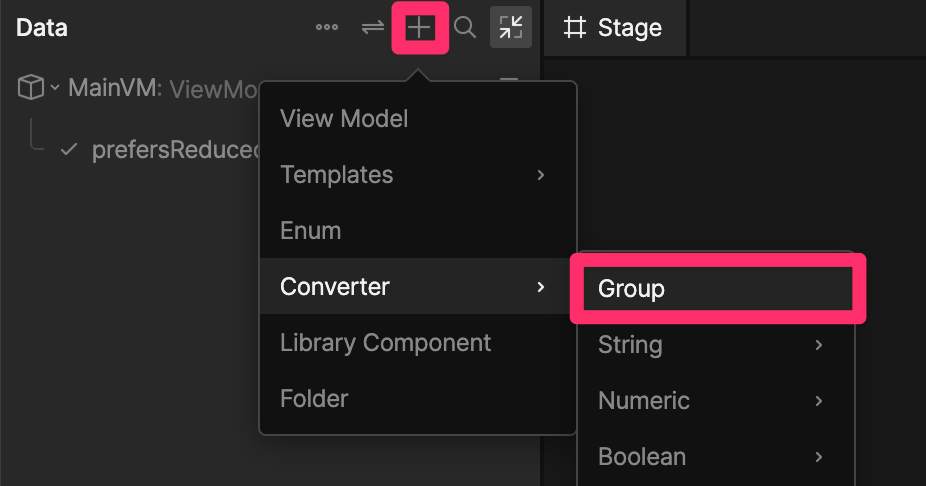
BooleanToSpeed.2
Add a Toggle converter
This will toggle the boolean so that when 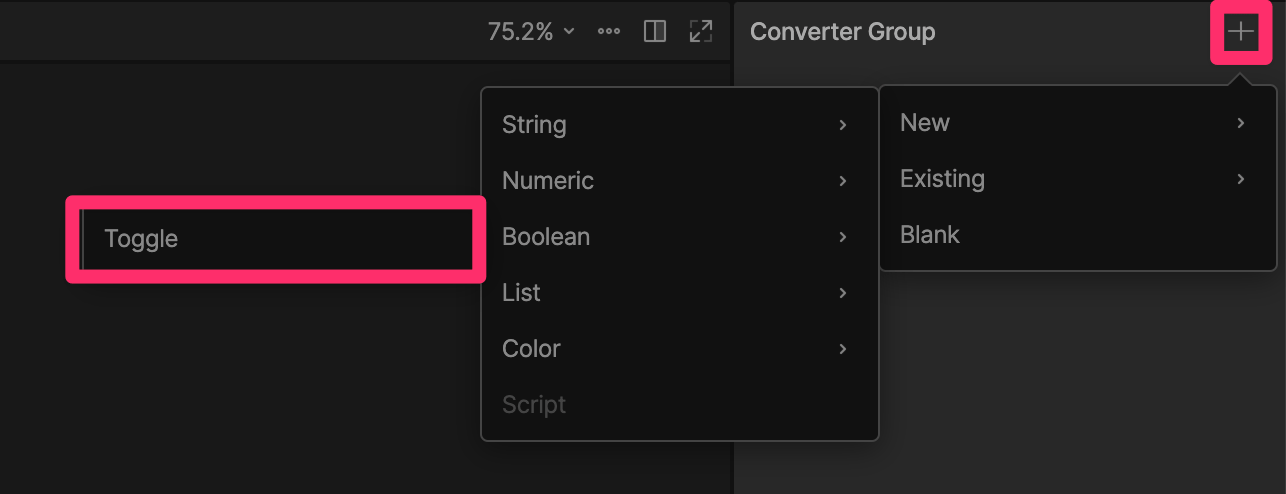
prefersReducedMotion is true, the output will be false.3
Add a Convert to Number converter
This transforms a 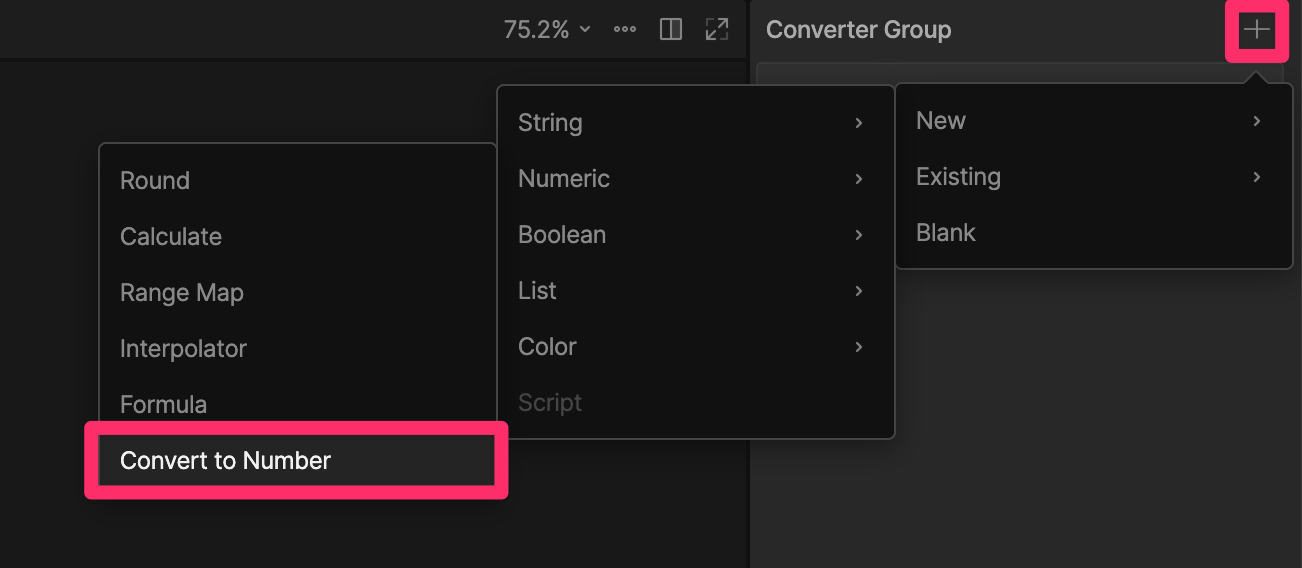
boolean to a number where true = 1 and false = 0.4
Data bind the animation speed
With the nested component selected, data bind the Speed value to 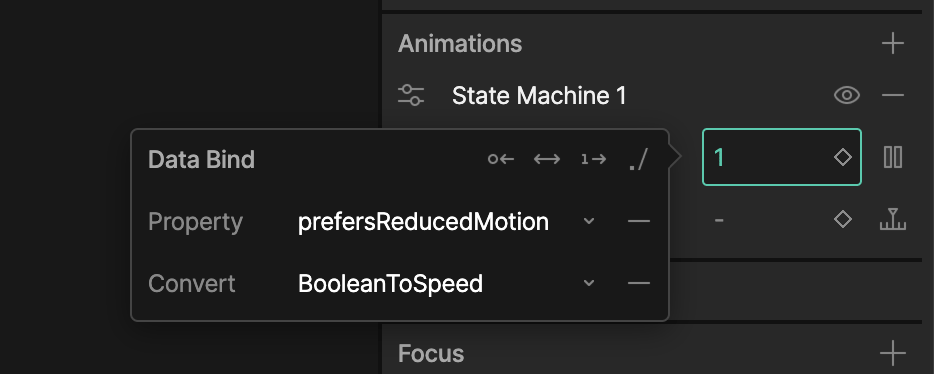
prefersReducedMotion and add the BooleanToSpeed converter.prefersReducedMotion is true, the animation speed will be 0.Replace Motion With Non-Motion Feedback
Reduced motion does not always mean removing feedback. Instead of movement, scale, rotation, or bounce, use changes in opacity, or color.Reduce Distance
Large spatial movement can be difficult even when it is slow. Consider reducing the distance an object travels, or replacing large movement with a small offset and fade.Runtime Setup
At runtime, use data binding to pass the user’s motion preference into the Rive file.In the future, runtimes may expose a built-in reduced motion value that can be read directly by the
.riv file. For now, pass the user’s motion preference into the file yourself.Rive does not automatically apply reduced motion. File authors need to decide which motion is essential, which motion is decorative, and what the reduced-motion experience should be.