

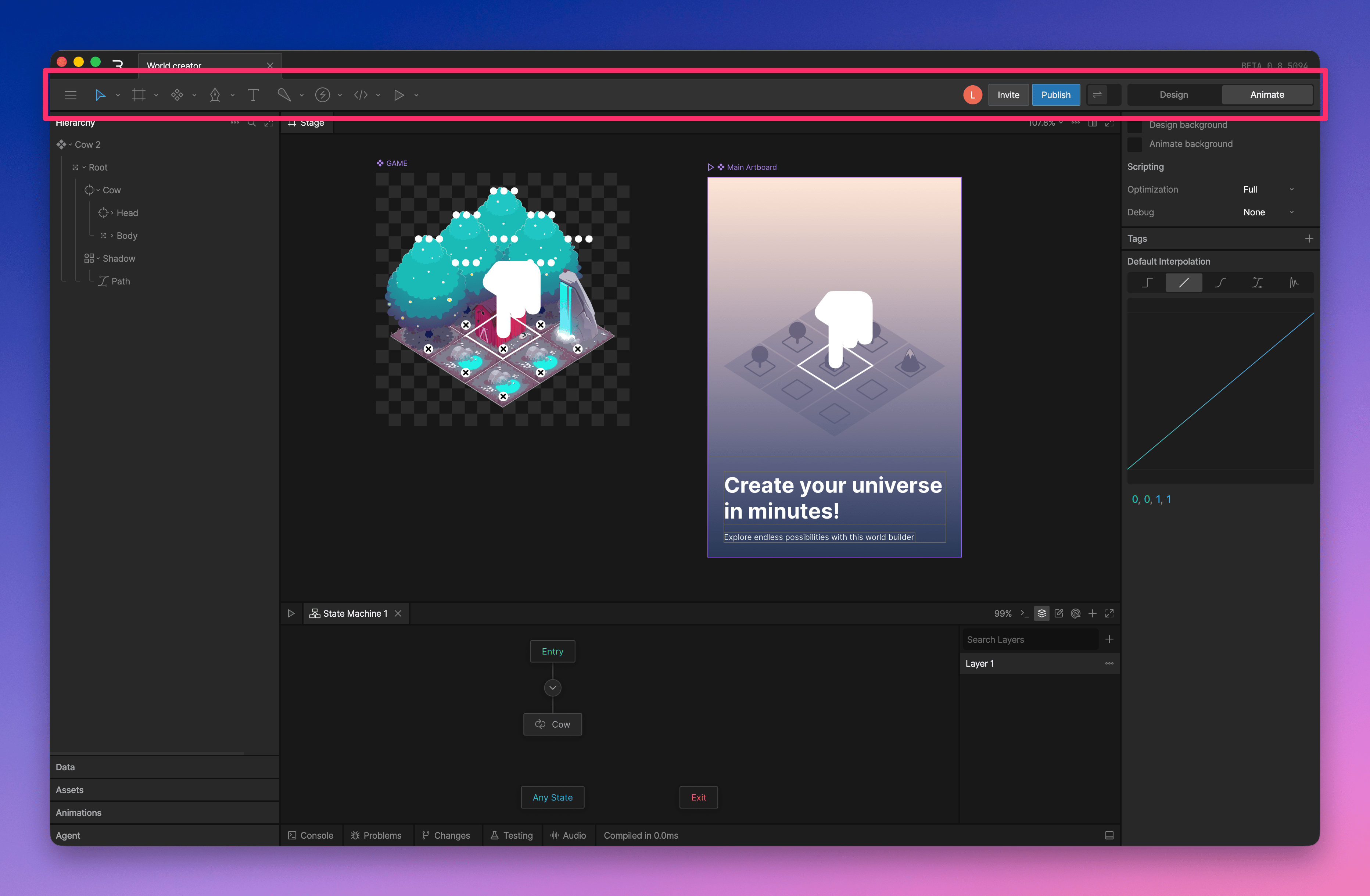
Editor Menu

Tools

- Select, translate, rotate, and scale tools
- Artboards and components
- Shape and drawing tools
- Bones tools
- Play the State Machine
Invite

Publish

- Export a .riv for runtime
- Publish to a library
- Embed
- Publish to the marketplace
Preview Bound Values
By default, data-bound values update while the state machine is playing. Turn on the Data Binding Preview Toggle to preview bound values while editing.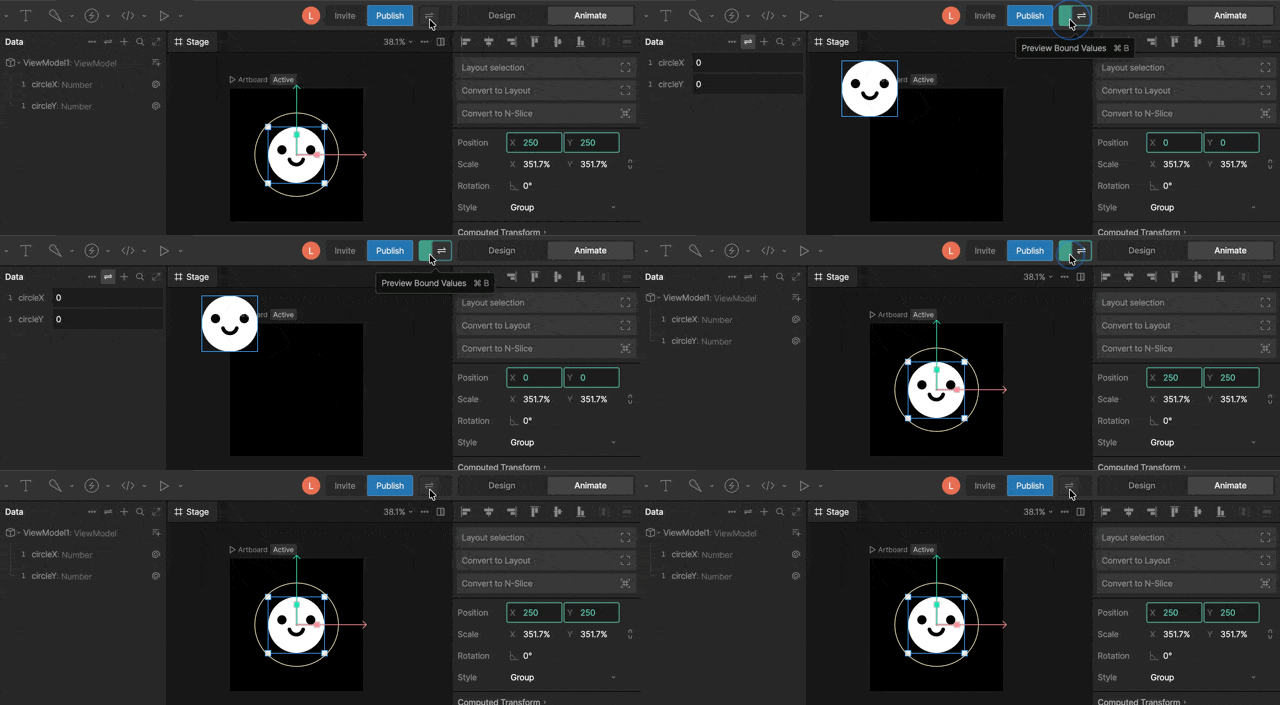
Mode Toggle
Use the Mode Toggle to switch between Design and Animate mode. PressTab to switch modes quickly.
- Design Mode: create, edit, import, and rig graphics.
- Animate Mode: create timelines, state machines, keys, and animation logic.
 \
\